
(post 179 of 263 — I back dated posts, so scroll down to make sure you didn’t miss any!)
I’ve been wanting a video doorbell for ages. I don’t hear the wired doorbell in my office with the headphones on and I’d like not to run all that distance to the door when I do hear it to find someone selling something I’m not interested in. I also liked the security monitoring features of capturing whenever someone is near the door.
Unfortunately, the only Apple-approved video doorbell, by Logitech, is not available in Mexico so my choices were Nest (Google product? No thanks!) or Ring (Amazon product, lesser of two evils even with the hacking scandal). Well, Amazon Mexico was practically giving away their 2020 Ring 2 doorbells a couple of weeks ago, so I picked one up. Ha, little did I know I’d bought the proverbial mouse a cookie.
I woke up on a Sunday morning raring to go to install the Ring myself. The instructions made it seem like a DIY thing. First off, I checked the Wi-Fi strength at the front gate and, finding it low, I moved the signal booster closer until I got nearly my full 125Mbps download speeds at the door.
I’ll skip ahead here to warn Ring users to read all the fine print because the device has a number of nasty secrets that are buried in the fine print. One of them is that the basic models of Rings will not connect to modern 5Ghz Wi-Fi, only the older 2.4Ghz protocol. That Wi-Fi isn’t as strong and I barely had a signal at the gate on that network despite the booster. But I didn’t know any of that yet.
It was ominous that setting up a Ring user account took over two hours, over 50 attempts, and a very long DM conversation on Twitter before I was able to do it. As an Apple user, I just don’t have the mental energy for any BS when it comes to setting things up. That just setting up an account was so broken was mind-boggling. It took all that time for the service rep to say, oh, wait, the app might be buggy. Let’s try to set up you account through the website. Which worked immediately. Auuuuuuuugh.
So I was pretty cranky already as I began to take apart the old doorbell to see what I was working with and how I would install the Ring. So there’s the other little fine print thing that the Ring just glosses over. The instructions give the impression that if you hardwire the Ring to any wired doorbell, that it can ring the chime for that doorbell. FALSE. It will only work with a small number of doorbell models. Had I known this, I doubt I would have bothered hardwiring the doorbell because it wouldn’t be as simple as the instructions made it out to be.
My doorbell wiring was set into a standard electrical junction box. The Ring mounting bracket just covered the hole, but that left nowhere in which to screw the bracket. I had a think about it and then headed out to the closest hardware store open on a Sunday, the Ace Hardware on Calle 60. Had a chat with one of their clerks and he agreed that my plan was a good one — I would install a metal outlet cover with a hole in it for the wires and drill four holes into it in which I could screw the Ring bracket. I made sure to pick up an appropriately sized drill bit and some caulking as well. Looking back, the only thing I would have changed, if I could, would have been the colour of the outlet cover, which I’ll explain in a bit.
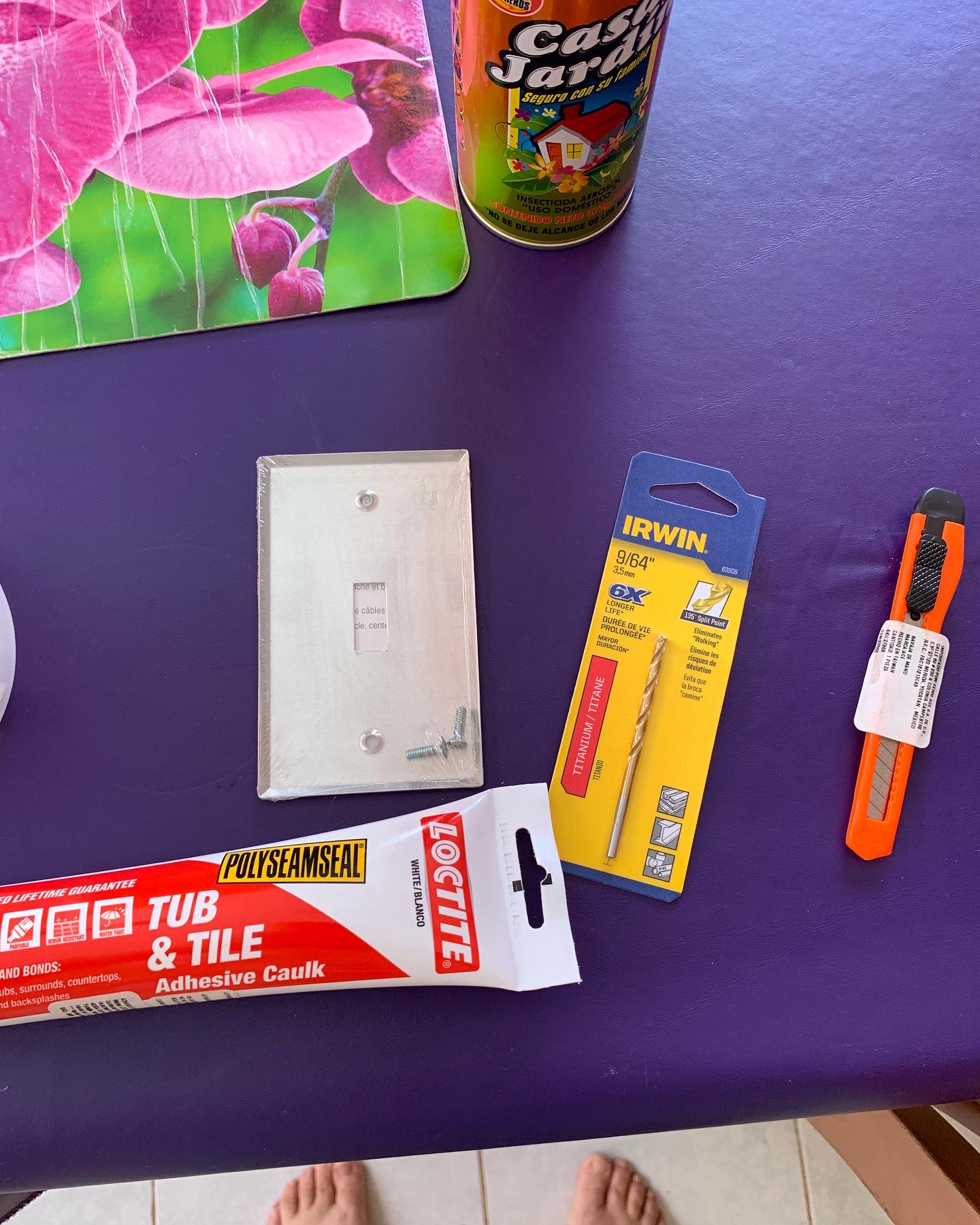
I put duct tape around the edges of the hole to prevent possible wear on the wiring. I then centred the Ring bracket on the plate and marked the four screw holes.
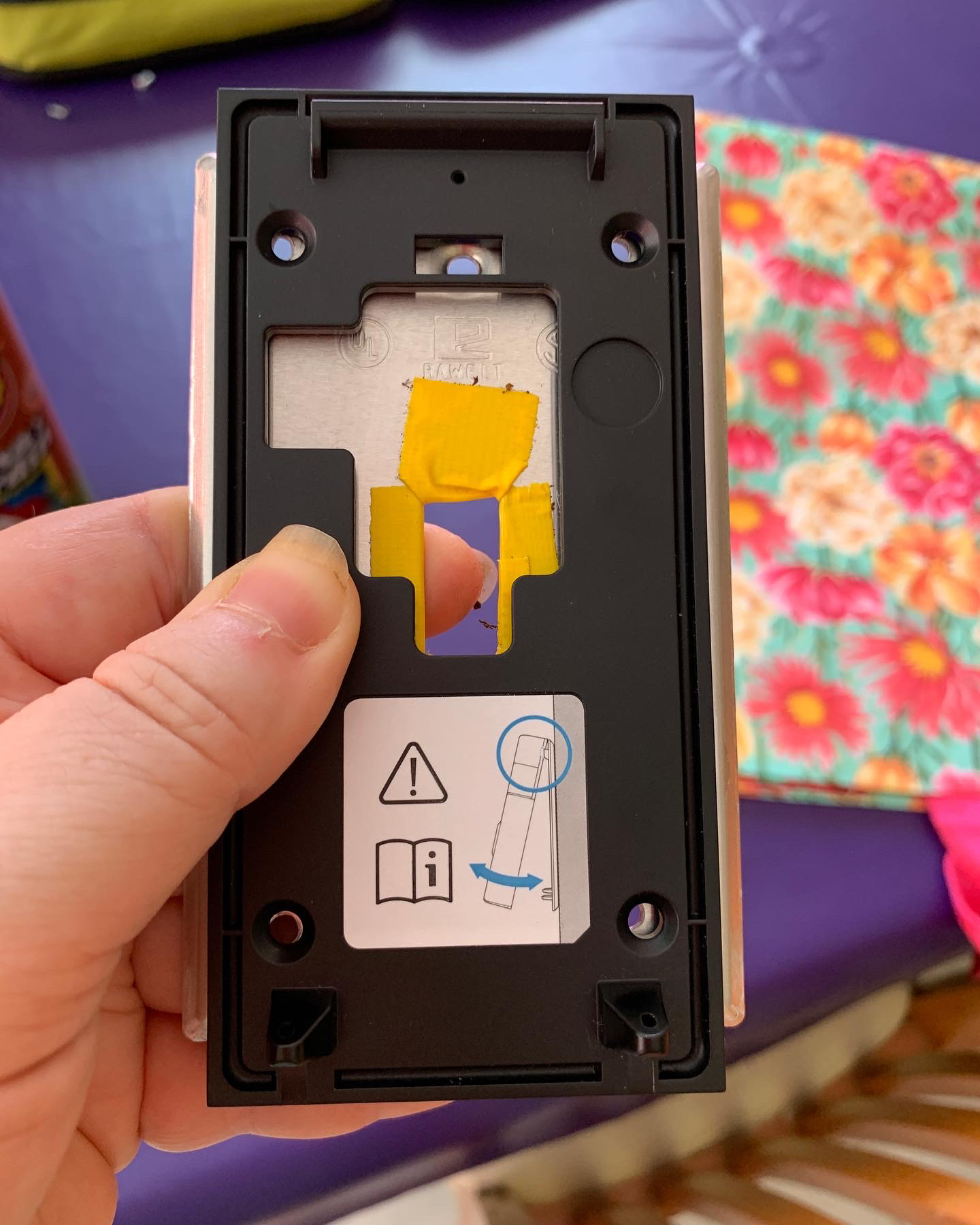
Drilling the holes was easy and they came out neatly.
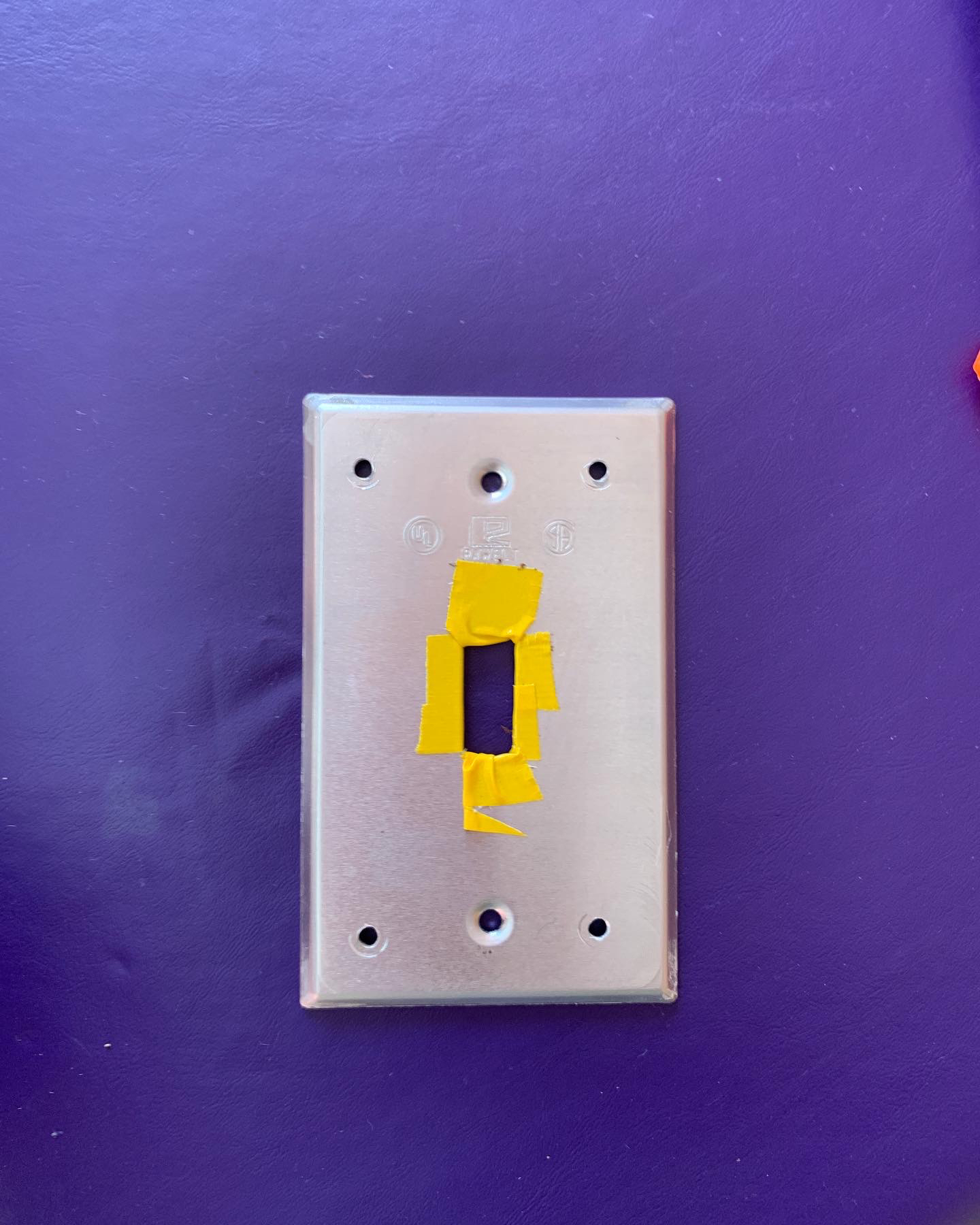
I had no trouble mounting the cover and then screwing over it the Ring bracket. But I was not able to then complete the installation of the Ring because it involved wrapping the two doorbell wires around two teeny tiny screws on the Ring. I simply do not have the dexterity to do such fine work. I had dropped one of the screws about three times when I heard a timid “Can I help you?” I turned around to see my neighbour from across the street. Turns out that she and her boyfriend work with electronics and do this kind of thing all day long. When I saw that they were genuinely happy to help me out, I was happy to hand over the tools! They got the Ring connected in minutes, something I know I would never have been able to do with my fingers being the way they are, and I learned some new tricks!
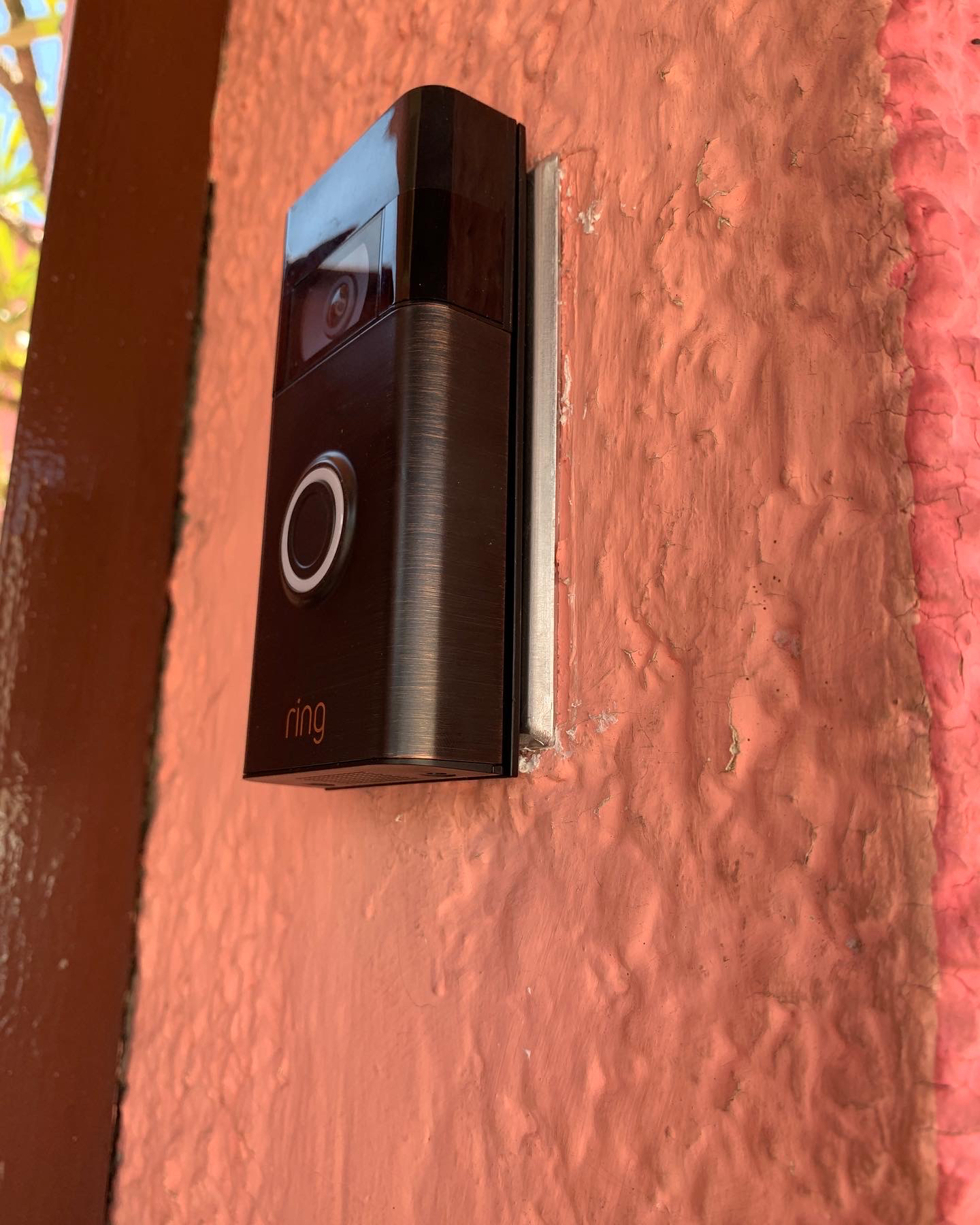
So this is what it looks like, and why I wish the cover had been another colour. Rings are silver, aren’t they? I’d never seen them any other colour. So imagine my surprise when I pulled this out of the box! It’s a beautiful burnished bronze colour, what I would have selected had I known it existed. So that was a good surprise, the only one to come out of this mess!
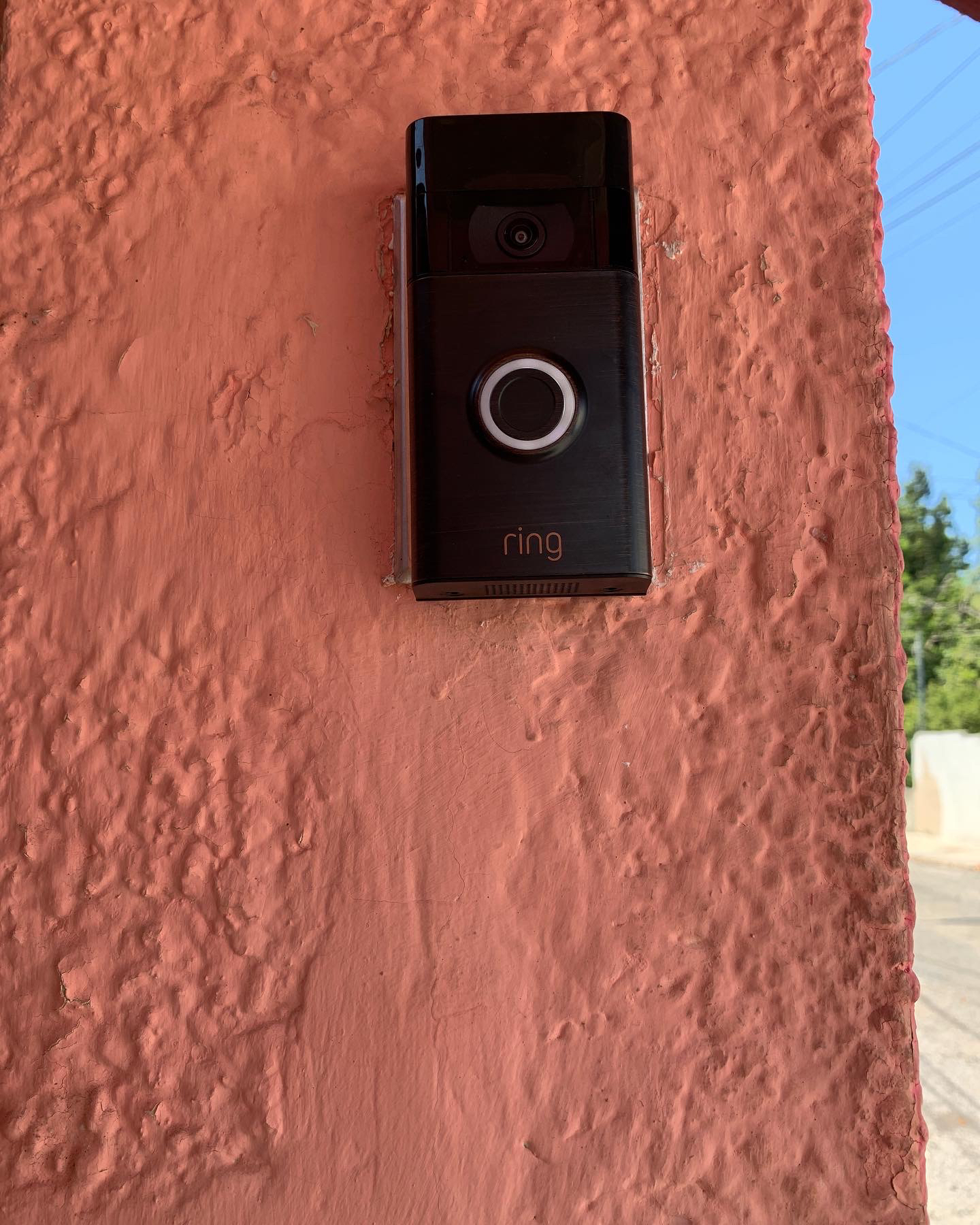
I will have to unmount the Ring in about a year to power it (despite it being hardwired). At that time, I may decide to spray the plate to make the colour match the Ring better. But even like this, I think the installation looks pretty good!
I could then not get the Ring to work well, and that’s when I discovered the Wi-Fi nonsense. I tried to get some help on the Ring forum and through Ring support, but no one was listening to what I was asking and instead talking over me, repeating over and over that I could not connect the ring to the 5Ghz network when what I was asking was how I could create 2.4Ghz Wi-Fi from the wired connection at my TV. I knew that had to be possible, but I was drowning in technobabble.
The next day, Monday, I went to my friend Tim’s house to see how his renovations were progressing (WOW). I realised that he knows about networks and such, so I asked for help and he had an answer for me! I got home and bought on Amazon a TP-Link Deco mesh Wi-Fi system. I was not happy to have to buy another pricey device to make the Ring work, but the price on the mesh system was just right and promised that I’d have strong internet in every corner of my property, so it seemed to be worth it.
Amazon delivered the mesh system the next day and it was pretty easy to set up and delivered what it promised. That was all surprising since I’ve been using TP-Link Wi-Fi boosters for years and they’ve always been a nightmare to set up and underwhelmed at performance.
The Ring, though, was still not satisfied. I still had the booster, so I set that up between the front door and the gate (thank goodness I have an outlet on my covered porch!) and that still wasn’t enough. I was livid by this point because it was clear that the problem was that it had a shoddy Wi-Fi receptor and that Amazon thinks that everyone lives in cardboard houses with their modem literally behind the doorbell.
I got into another DM Twitter chat with a Ring person who had the patience of a saint. How’s this for another surprise, my new mesh system wasn’t compatible with a Ring because a mesh system, by definition, combines the 2.4Ghz and 5Ghz frequencies. So while the Ring was connecting to the new network, it was not effectively connected to the 2.4Ghz frequency. Ring was pretty useless after this point, so I thanked the person for their help and moved to TP-Link to see if there was a way to isolate the 2.4Ghz frequency. No, because that goes against the idea of what a mesh network is, but there was a workaround!
I had to create a guest network on the mesh system that only had the 2.4Ghz frequency active. I did that and connected the Ring to the guest network. Still wasn’t good enough and I realised that I hadn’t “boosted” the guest network, so I went through all the steps to create the new boosted guest network on the booster. I then had to connect the Ring to the new boosted network. By the way, every time you want to change the network the Ring connects to, you have to remove the two security screws, pry the Ring off the bracket (careful you don’t disconnect the wires!), and hit the orange reset button on the back of the device. Are you exhausted yet? I sure was.
But it worked! The resulting connection was just the minimum for a stable Ring connection. Here’s all of that summarized in a video:
The device has worked great since. I’m happy with the camera quality. Here’s night mode:
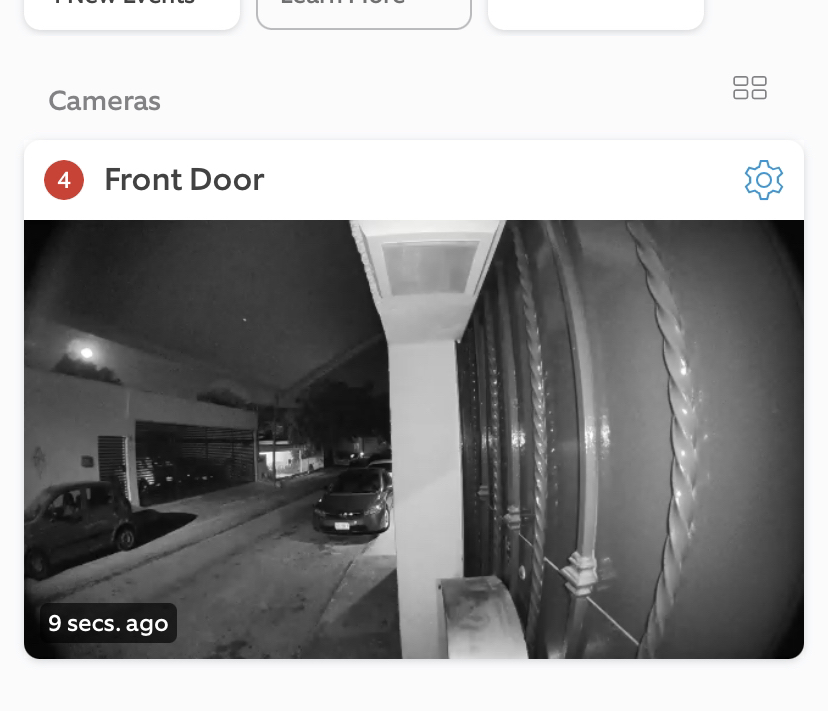
I like that it’s essentially an intercom, so I can answer from my desk and let someone know I’m coming. There’s lots of steps to answering the Ring, but turns out there’s a separate app to do that (Rapid Ring). So much fine print!
One of the feedbacks I’ve been getting is that people can tell there is no doorbell ringing in the house, so if I don’t answer through the intercom, they do the usual yell to get attention. I didn’t want to throw any more money at this thing, but a couple of days ago refurbished Ring-brand Chime devices popped up on Amazon for $750, so I picked one up.
Speaking of yelling to get attention, the Ring is useful for folks who skip straight to that as I get a notification that someone is standing in the doorway.
The Ring comes with a one-month subscription to the service where you can review past events. That would have been useful after the burglary as I would have had footage of the thief leaving the house. I heard a lot of complaints about the cost of this service, but it’s only $3USD per month! There are other Ring security devices that I may consider if they show up on Amazon Mexico that would bump up the cost to $10USD, still a bargain, as long as the device continues to work well (who knows how much longer the version 2 is going to be supported?).
So my feelings about the Ring are pretty well mixed. Setting up an account shouldn’t be a nightmare. 2020 wasn’t so long ago that it’s acceptable for a device to not work with 5Ghz Wi-Fi. I absolutely don’t hold the installation issues against them. Customer service was very good. Actual function is excellent. So I’d say 3.5 stars out of 5 overall?